Keychain
A downloadable tool for Windows
Hi everybody!
So, I am back with a new app: Keychain! It is a free, offline-first toolkit I've been chipping away at for a little while now. I have been wanting to make something that I would myself use often and that I can share with others to hopefully help in some ways.
If you live in the US, you may know how much debt and bills, amongst other things we have to live with. Managing all of this can be a pain so I wanted to make a simple software to look at all my finances and budget and know what I have left and when. Now, this isn't really a day-to-day budgeting app, but more of planner and see your overall budget on a yearly and monthly basis, with some VERY unrelated tools too.
I already had a jab at this in a previous project I called "Bill Planner" (which I archived by now) in python as a first python project. It was fun but I wanted it to be a bit more than what it was. So, initially, I shifted my work to a web-based application (using React, Node and Tailwind). It was alright but didn't find the "online" portion of it interesting enough, and it became even less relevant when I started adding encrypted tools like the Vault and Inventory checklists.
It slowly shifted into an offline desktop and android application (in case you are wondering, I am using the Capacitor for Android and Tauri for Windows). Losing the "online" portion of it was a little heartbreaking but it is now a robust offline application, where data isn't collected or sent anywhere (except to your other devices, when you decide to sync your data between them).
I like that aspect of offline tools as you can use Keychain on your phone, when you travel and easily sync it back with your PC when you get home by simply scanning a QR code (and make sure the transfer ID matches!).
So, in the end, here is where we are at: one place to put all the small, persistent things I need to keep track of: passwords, two-factor codes, recurring bills, shopping checklists, the list of services that have my mailing address on file (for when I move, potentially), and a handful of utility tools — hash generator, AES encryption, password generator. Everything runs entirely on your device. No accounts. No servers. No analytics. No telemetry, again!
So, here is what I have so far:
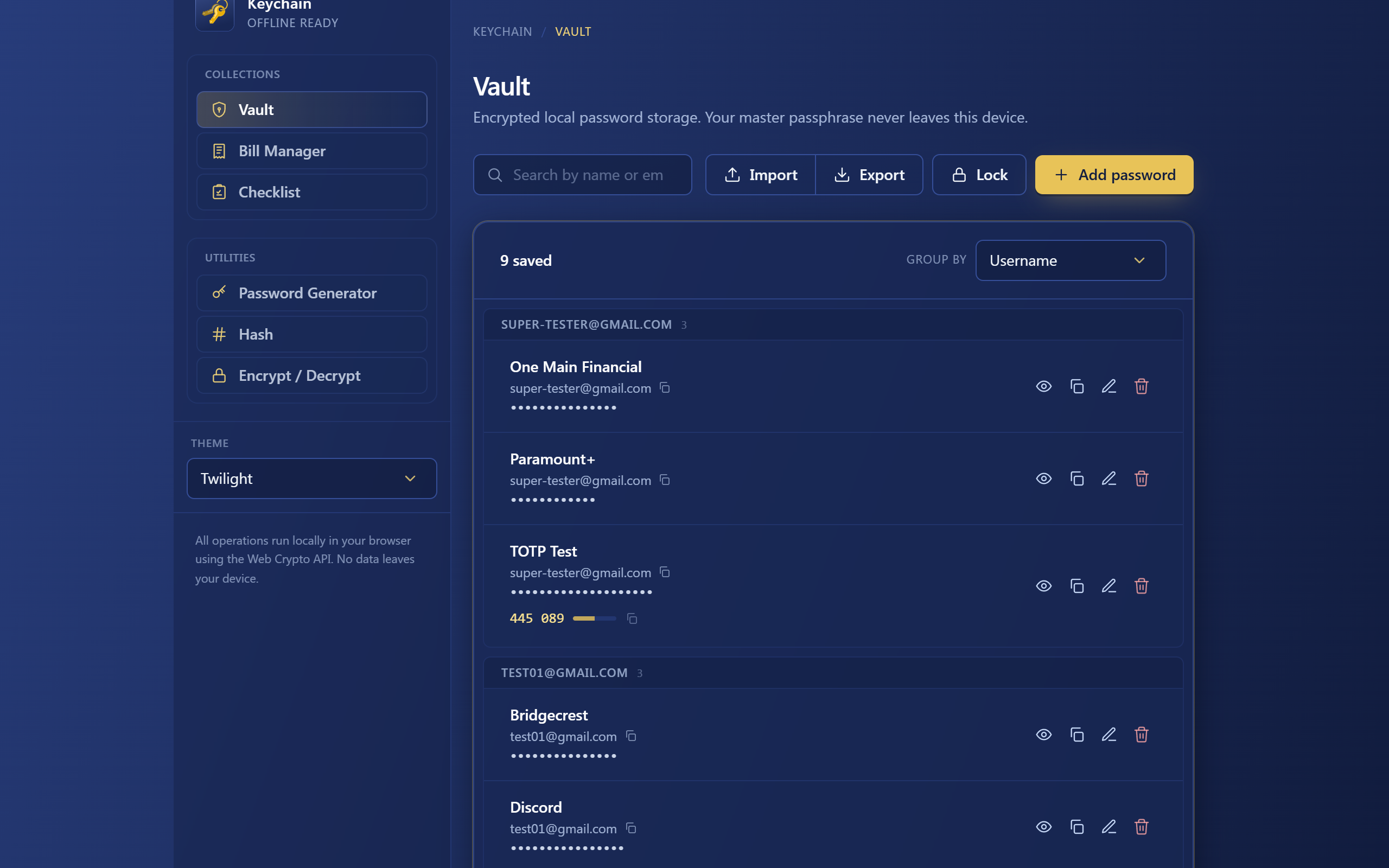
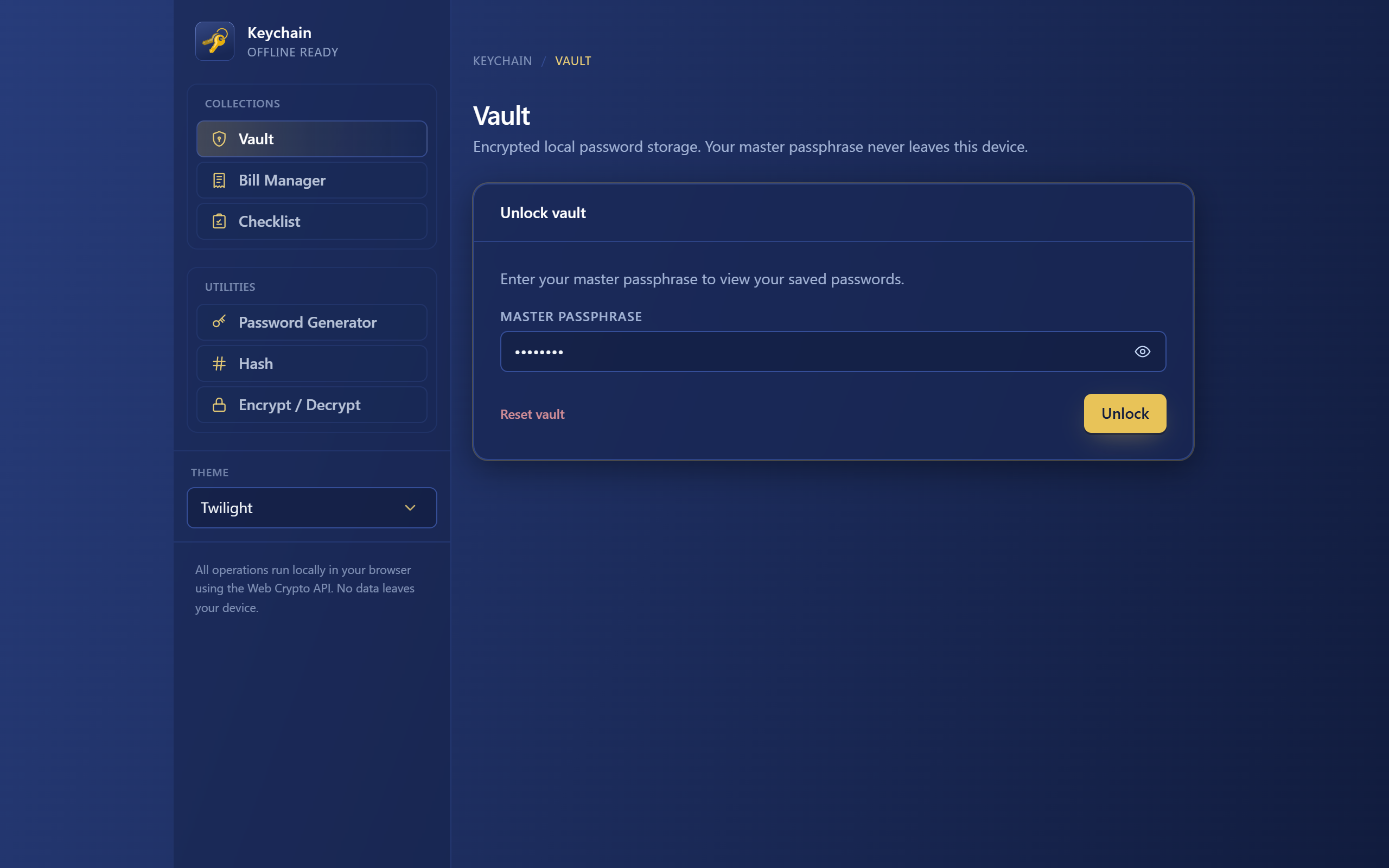
- Vault — passwords, usernames, TOTP authenticator secrets, backup codes. Encrypted at rest with AES-256-GCM (PBKDF2-SHA-256, 250k iterations). Master passphrase never stored.
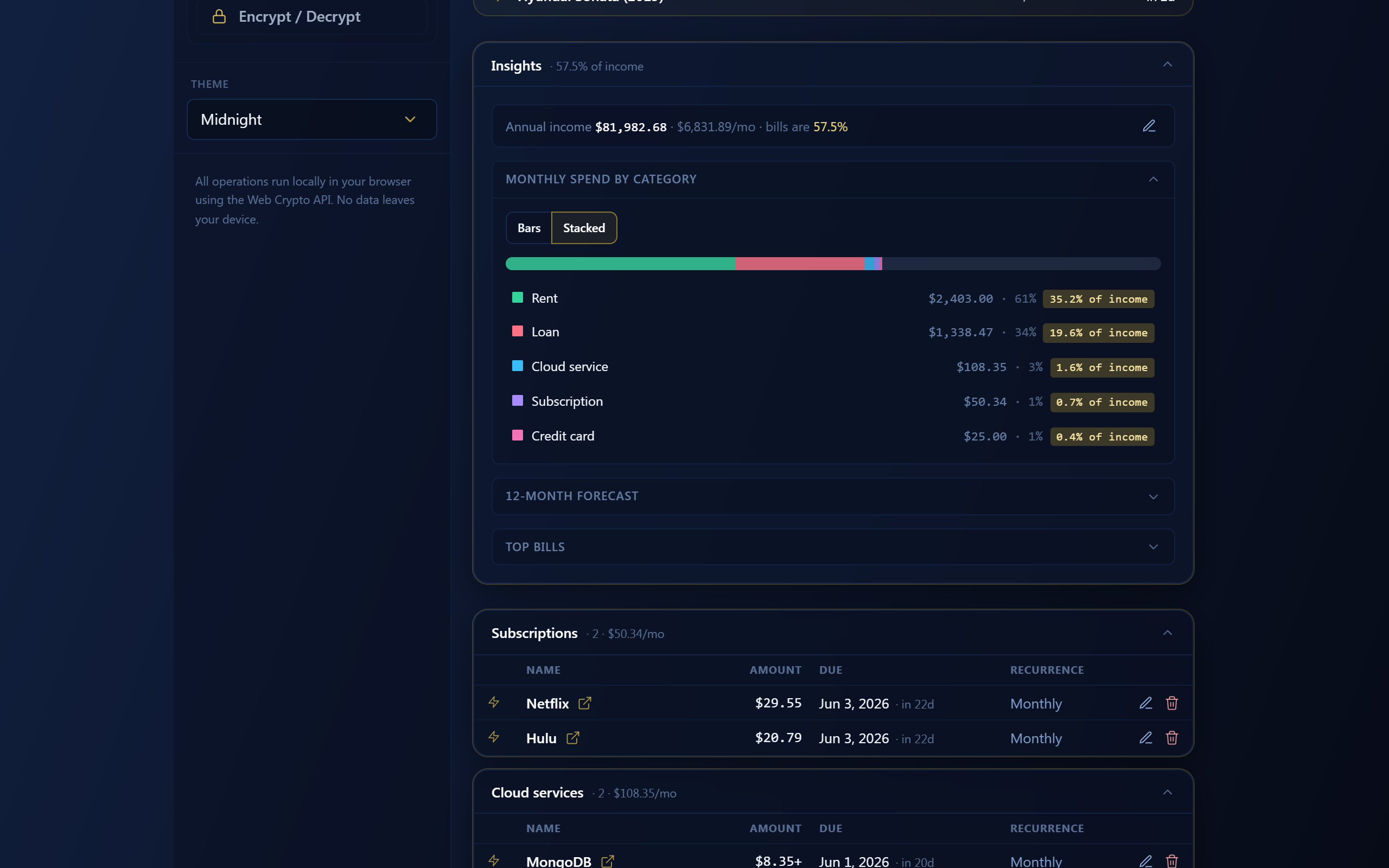
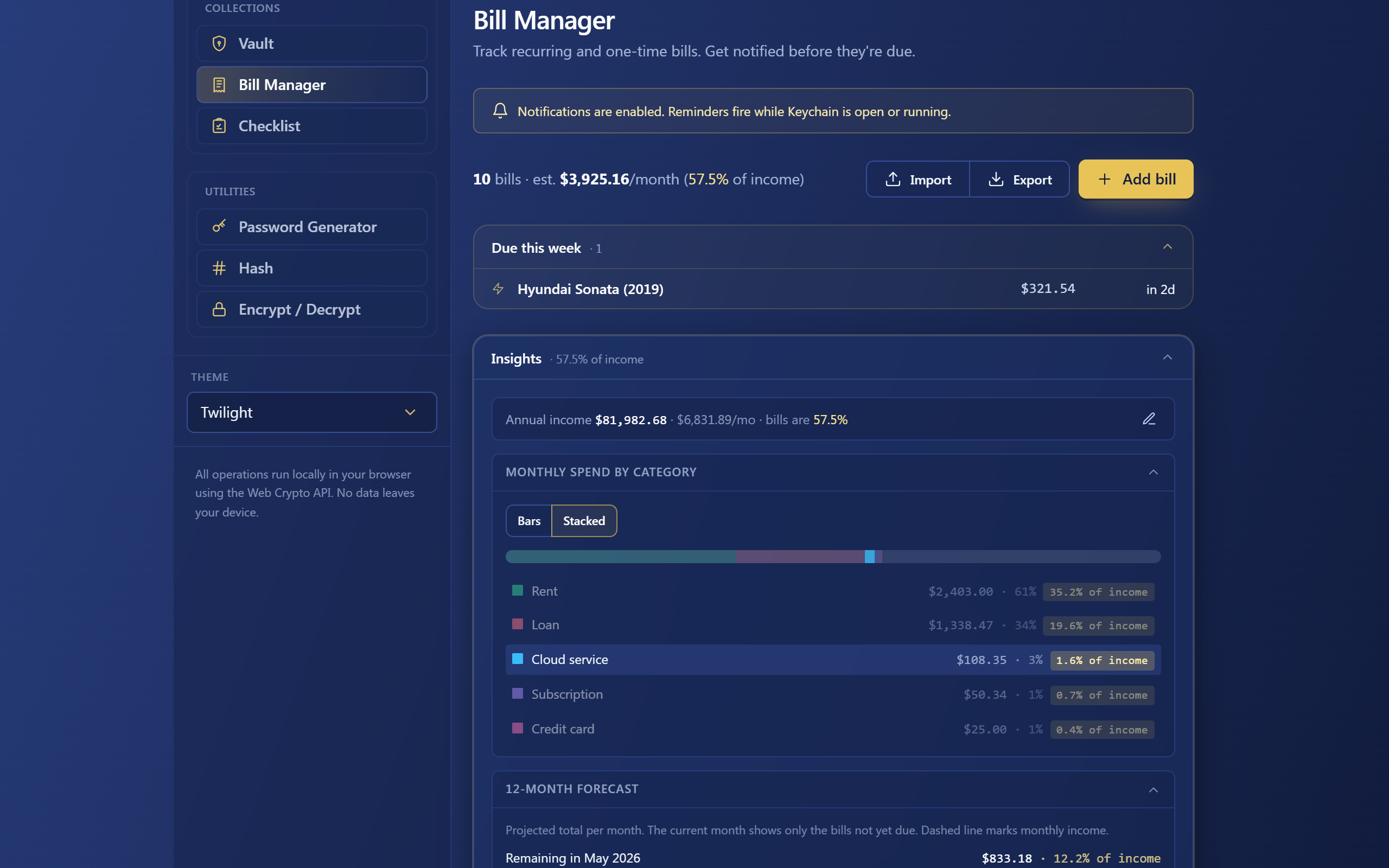
- Bill Manager — recurring bills with frequencies (weekly through yearly), due-date alerts, payoff tracking for loans/mortgages/credit cards. Insights panel projects the bills-to-income ratio with a target planner. New: what-if bills let you preview the impact of a hypothetical subscription or loan before committing to it.
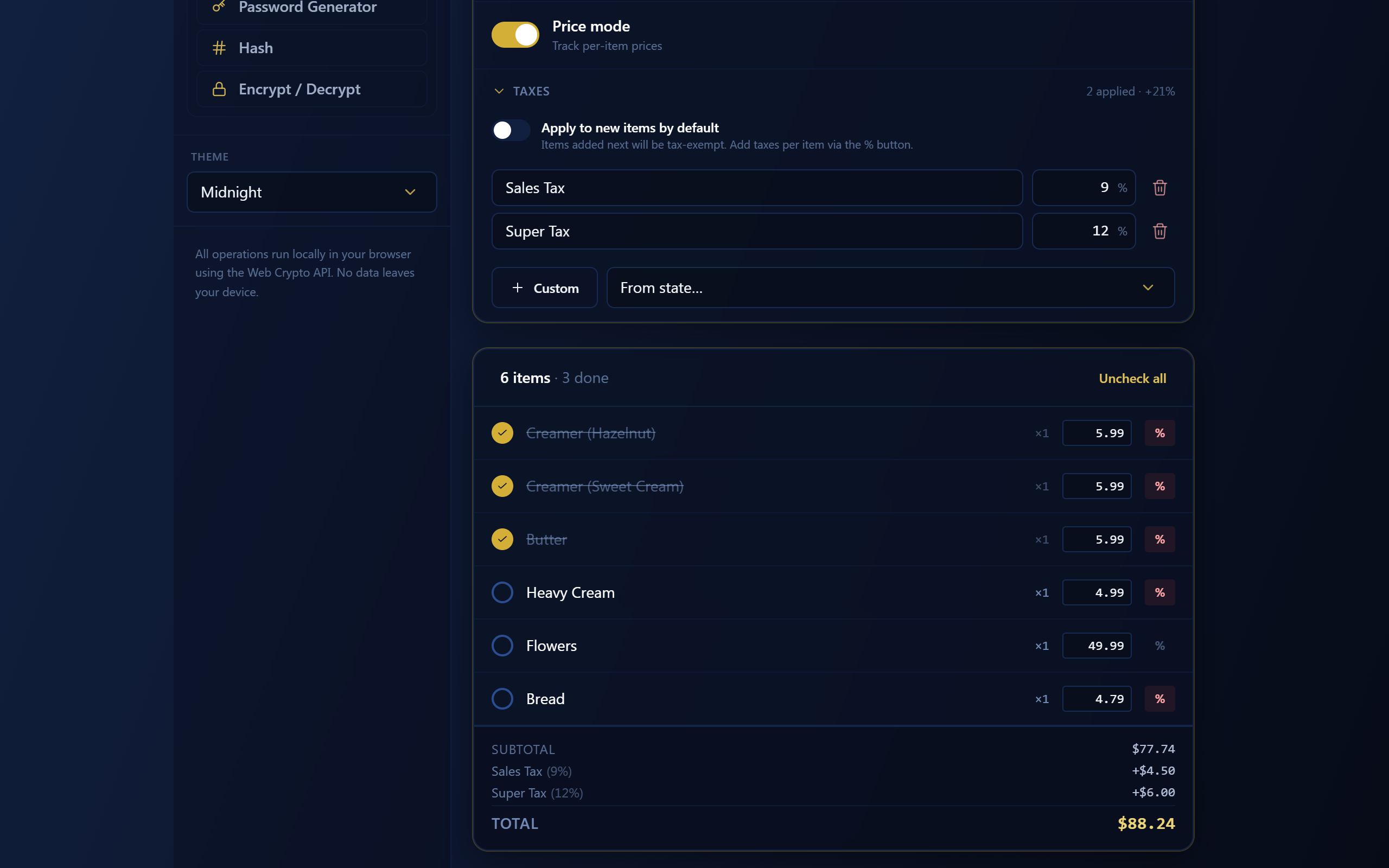
- Checklist — regular lists, encrypted inventories, and reusable "recurring" mini-lists you drop into other lists (think weekly groceries). Per-tax line items, totals with breakdown, lock-and-tap-to-check phase.
- Addresses — track which services have your address on file. When you move, mark the old one and walk down the highlighted list of "in-need-to-update ones" as you update each one.
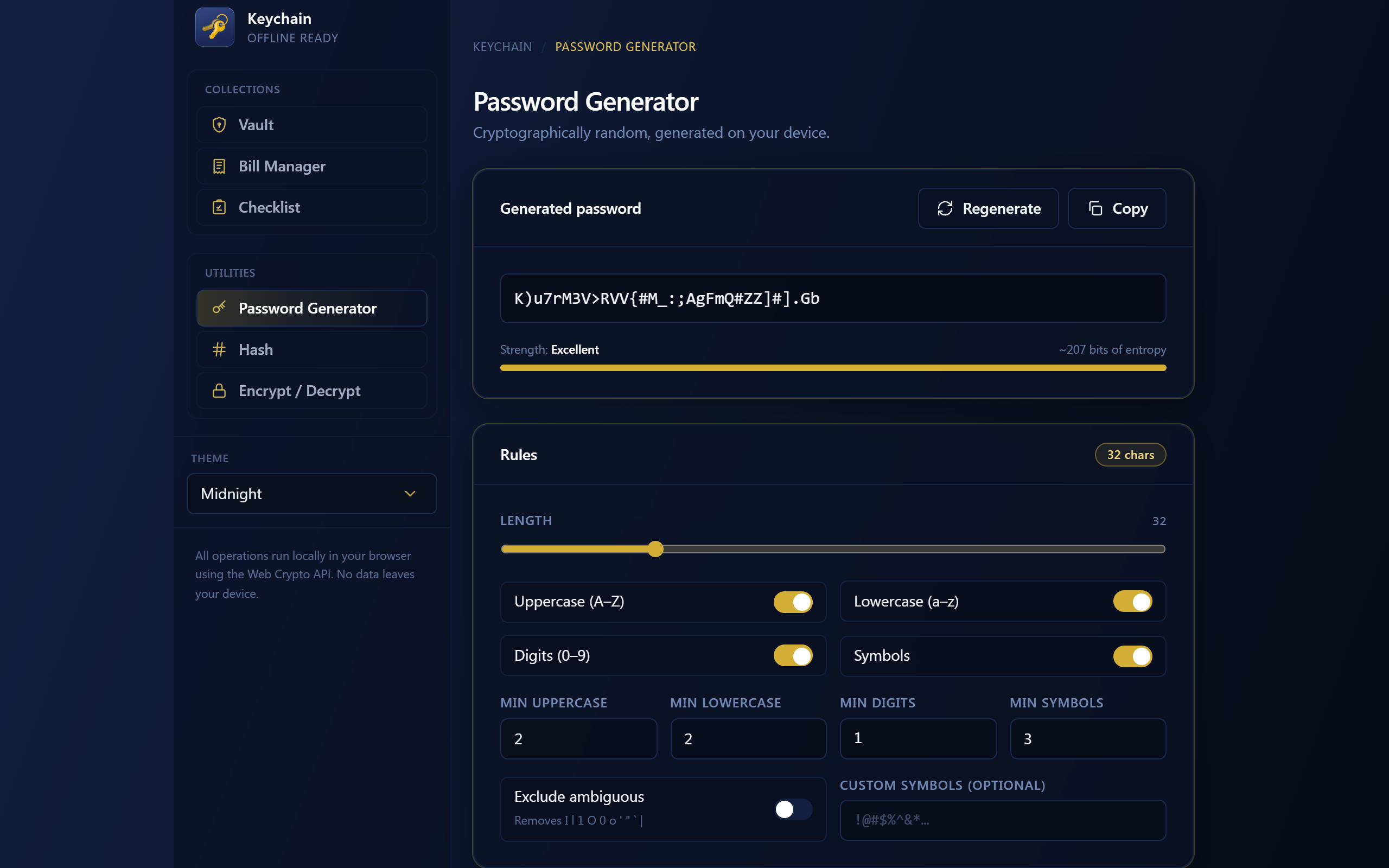
- Password Generator — passphrase, mixed, custom alphabet. Saved presets.
- Encrypt / Hash — quick AES-256 + SHA family for one-off needs.
- Custom Themes — pick your accent + surface colors, corner radius, display font.
- Device-to-device transfer — bundle a selection from any of the above and send it to another of your devices over your local Wi-Fi (QR-paired, encrypted end-to-end, peer-to-peer, no servers). Useful for going phone-to-desktop or for sharing budget what-ifs with family.
I have made it so this same app ships on Android (Google Play, currently in closed alpha testing — let me know if you would like to be a tester) and Windows (this download). Same code, same data — and the LAN transfer feature works between them, so your phone and desktop can stay roughly in sync without anything passing through someone else's machine.
For the Privacy: included PRIVACY.txt which spells out exactly what's stored locally and the five narrow situations where any network traffic can occur (TL;DR: ML Kit model download for the QR scanner on Android, Google Play services, optional LAN transfers you start, and external links you tap). Please, read it before you commit your passwords to anything.
One note about the first launch: the binary isn't yet code-signed with an EV certificate, so Windows will show a blue "Windows protected your PC" warning the first time you run it. Click More info → Run anyway. The full README explains this in more detail. I will get the code-signing done at some point.
This is a free download for personal, non-commercial use. Redistribution, forks, and reverse-engineering aren't permitted (see LICENSE.txt) — if you want to share Keychain with someone, please point them at this itch page so they always get the latest version. If you find it useful and you would like to support the development of this app (and any future app/game I end up doing), the Support panel inside the app has a tip jar (Ko-fi and PayPal) — every tip directly funds the next set of features and projects.
Since this is an active project in development, I will be updating this project VERY often. Fixing bugs, adding new features, changing the UI / UX, etc... I do not plan on expanding the app to be online at some point. I did think of a few good potential online features, but losing the "no data leaves the app" part is not something I want, so please, no request to get this app online at the moment (it would also increase considerably the cost and the scope of this).
I know that gen AI is a big thing right now so I want to be clear upfront: I used (and continue using) Anthropic's Claude agent (currently Opus 4.7) extensively for this project. That is the only AI agent I have used so far for this project and I do not have any plans on using any others in the near future.
You have bug reports, feature requests, licensing inquiries? You can contact me directly here:loup.mareau@gmail.com
So... voila! Please, stay safe, and thanks for taking a look!
Sincerely,
Louis M.
Download
Install instructions
Extract the zip, double-click Keychain.exe. That's it. There's no installer; deleting the folder uninstalls it. Your data lives separately under %APPDATA%\com.atlas.keychain\ and survives across reinstalls unless you delete that too.
Also available on